
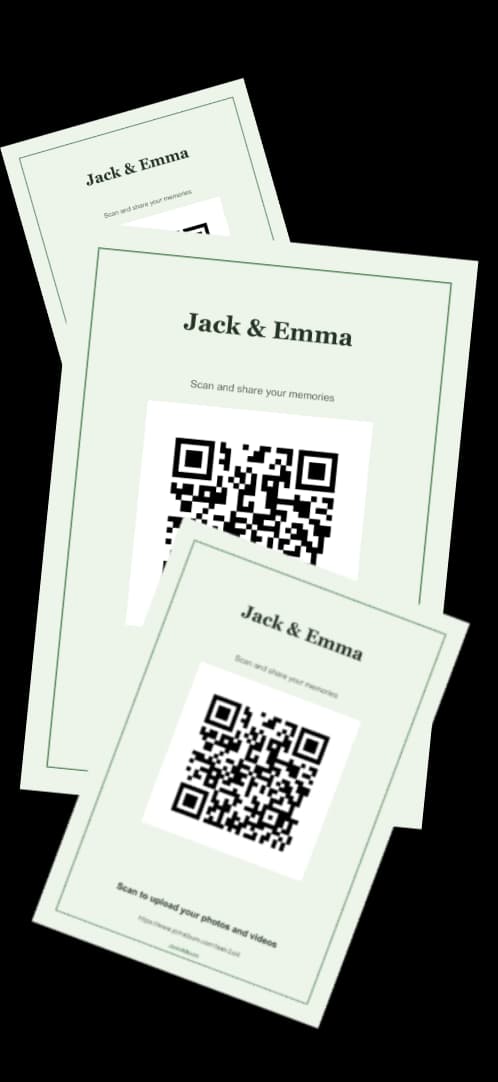
How a photo upload QR code works
You create an album for the event and get a link and a QR code for it straight away. Guests scan the code with the phone camera, the upload page opens in the browser, and they choose photos or videos from their camera roll. It works on iPhone and Android.
Everything lands in one private album. You and your co-host see it all; guests only see the full album if you decide to make it public or give them a password.
Free QR generator plus a Drive folder: does it work?
It can, and it costs nothing. You make a shared Google Drive or Dropbox folder, paste its link into a free QR generator and print the code. Two catches: adding files to those folders usually needs the right account, which stops a lot of guests at the sign-in screen, and you have to make sure the link behind the code never changes or expires.
A QR album removes both. Guests don't sign in, and the code is generated for the album itself, so it can't end up pointing somewhere else. You also skip the design step: the built-in studio places the code on a sign for you.
Making the QR code easy to scan
Give it room. A large code with clear space around it and strong contrast scans from across a table; a small one squeezed into a corner doesn't. The QR studio won't let the code shrink below a minimum size for each format, and it checks that the code scans before every export.
Add one line that says what to do, such as "Scan to share your photos", and test a printed copy with two or three phones before you print the rest.
Where to put it
Wherever people stop: the entrance, the seating plan, the bar, the guest book, and every table. Small table cards work better than one big sign, because they sit in front of guests for hours. A post or story before the event tells guests to look for it.
It works the same for weddings, birthdays, communions, baptisms, graduations, company events and reunions: any event where a lot of people take photos.
QR photo upload FAQs
Is the QR code free?+
Yes. The album, the QR code and the sign templates are free, and the free plan holds up to 10 photos or videos. Unlimited uploads for one event is a single €49 payment.
Do guests need an app?+
No. They scan with the phone camera and upload in the browser. They only type their name.
Does the QR code work on iPhone and Android?+
Yes. Both scan QR codes from the camera app, and the upload page runs in the browser.
Can the QR code collect videos too?+
Yes. Videos are stored exactly as recorded.
Can I print the QR code?+
Yes. Download it on a poster (A3 to A6), a table card, a square post or a story, as PNG, SVG or PDF.