
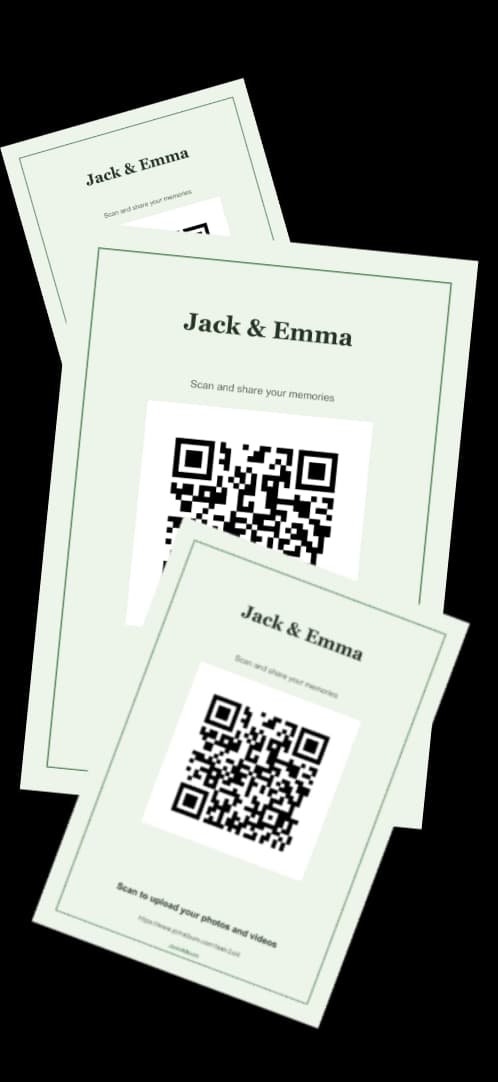
Make it in five steps
Choose where the photos will go
A shared Google Photos album, a Google Drive folder, a Dropbox file request or an event album like JoinAlbum. The page guests land on decides how many of them get as far as uploading, so choose this before anything else.
Copy the link guests will upload to
In Google Photos, open the album's sharing options, make sure other people can add photos, and copy the link. With JoinAlbum, the link is on your dashboard as soon as the album is created, next to a ready-made QR code.
Turn the link into a QR code
Paste the link into a free QR code generator, such as the one linked on this page, and download it. PNG works in documents and Canva; SVG stays sharp on large signs. A static code like this never expires.
Test it like a guest would
Scan the code with a phone that isn't signed in to your Google account, on mobile data, and try to upload a photo. If you hit a sign-in page or a 'request access' screen, your guests will too.
Put it on a sign and on every table
A sign at the entrance, a card on each table, and one line of text that says what it's for: 'Scan to share your photos'. Then ask someone to mention it in a speech; that one sentence does more than any sign.
Route 1: Google Photos and a free QR generator
It costs nothing, and if most of your guests already use Google and don't mind signing in, it works. Create a shared album, allow others to add photos, copy the link and turn it into a code.
The catch is the sign-in. Adding to a shared Google Photos album or a Drive folder usually means signing in with a Google account, and at a wedding that is where you lose people: the relative without an account, the guest signed in to a work account, the friend who gives up on the second screen. Also remember that a shared-link album can usually be viewed by anyone who has the link, so the QR code on your tables opens the whole album to whoever scans it.
Route 2: an upload album with its own QR code
An event album like JoinAlbum gives you the link and the QR code in one step, plus a studio with 28 templates to put the code on a sign, a table card, a post or a story. Guests scan, type their name and upload photos and videos from their phone browser, with no app and no account.
The album starts private: guests can upload, but only you and your co-host see everything, until you choose to make it public or protect it with a password. Guests can keep uploading for 30 days after the wedding, and you can download the whole album as one ZIP. It's free for up to 10 photos or videos, which is enough to test it; for a whole wedding you will want the unlimited plan, a single €49 payment.
Static or dynamic QR code?
A static code has the link written into the pattern itself. It's free, it never expires, and it can't be changed: if the link changes, you print a new code. A dynamic code points to a redirect run by a QR company, so you can change the destination later, but most charge a subscription, and if the subscription lapses the printed code stops working.
For a wedding, a static code pointing at a link that won't change is all you need. Pick the destination first, then make the code.
How big to print the QR code
On a table card, at least 3 cm (about 1.2 in) wide. On a sign people read from further away, go bigger: a common rule of thumb is a code about a tenth as wide as the distance it's scanned from, so 10 cm for a sign read from a metre away.
Keep the white border around the code, print dark on light, and prefer matte paper: glossy prints catch the venue lights and some phones won't focus through the glare.
Wedding photo QR code FAQs
Can I make a QR code for wedding photos for free?+
Yes. Both routes are free to start: a shared Google Photos album with any free QR generator, or a JoinAlbum album, which includes its QR code and is free for up to 10 photos or videos.
Do guests need an app to scan the code?+
No. The camera on current iPhones and Android phones reads QR codes directly. With JoinAlbum, the upload page then opens in the phone browser, so there's nothing to install afterwards either.
Does a wedding photo QR code expire?+
A static code never expires; it works as long as the link inside it works. Dynamic codes from paid QR services stop working if you stop paying.
Can guests upload videos as well?+
That depends on where the code points. Google Photos and Drive accept videos. JoinAlbum accepts photos and videos, and stores videos exactly as recorded.
Can we see the photos as they come in?+
With JoinAlbum, yes: you and your co-host see every upload as it arrives, and you can put a live slideshow of the album on a screen at the party.